
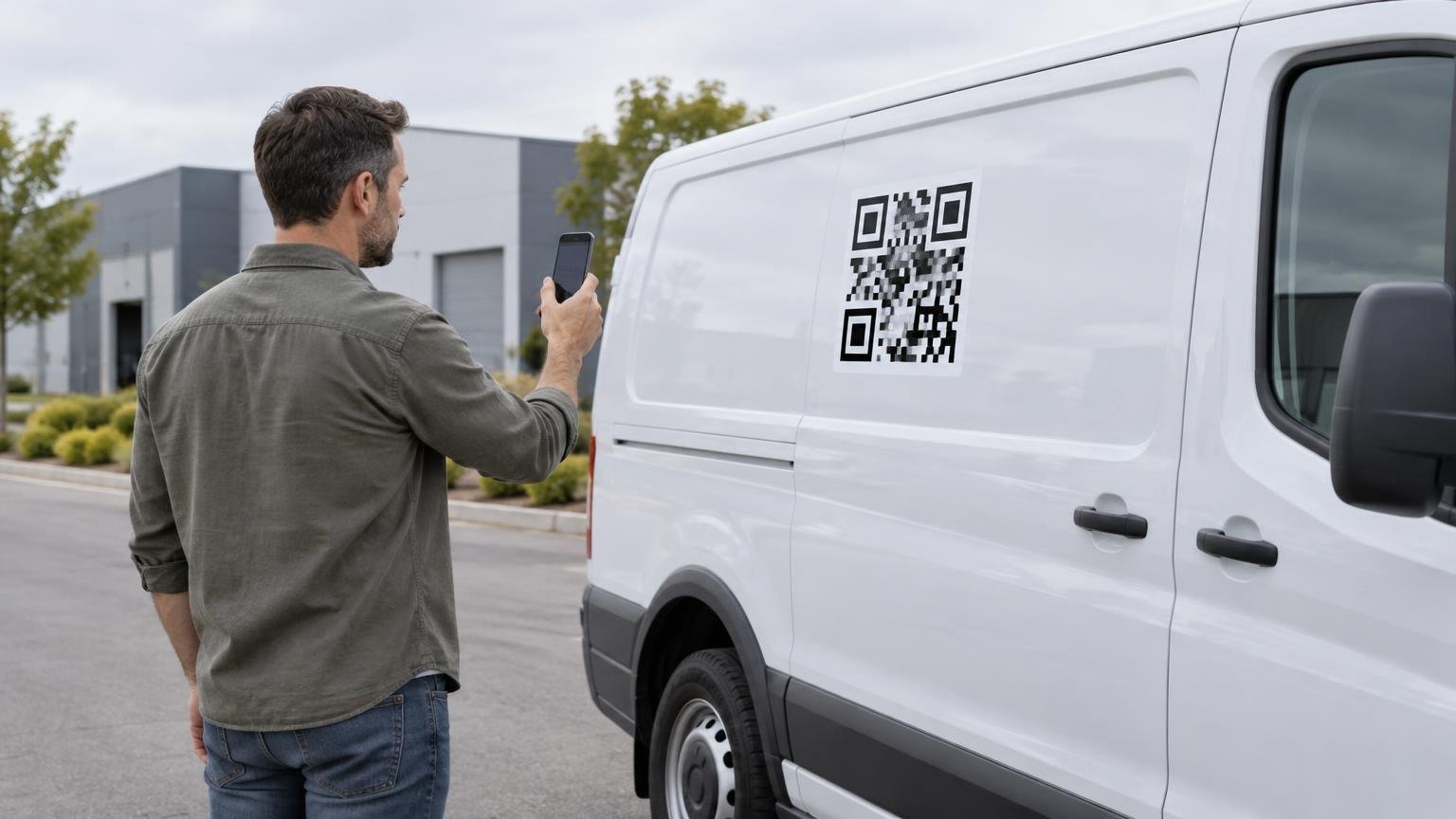
For a QR code that people will scan while standing near a safely parked work van, 4 to 6 inches square is a sensible starting range. Move toward 6 to 8 inches when people will stand farther away, approach at an angle or cannot comfortably get close to the selected panel. Those dimensions are starting points, not scan-distance guarantees. The final code still needs to be printed at full size and tested on the intended surface with several phones.
Avoid designing around the smallest QR code a printer can reproduce. A technically printable symbol is not necessarily comfortable to find, frame and scan on a vehicle. Van contours, reflections, camera quality, encoded data and the viewer’s position can all change the result.
Start with the expected standing distance
Size the code for where a person can realistically stand without stepping into traffic, squeezing between vehicles or leaning across the van. Think about the parking situation as well as the artwork. A code on a rear door may be easy to reach in an open lot but inaccessible when the van is backed against a wall.
| Likely scanning distance | QR code starting size | Typical situation |
|---|---|---|
| 2 to 3 feet | 3 to 4 inches square | A person stands directly beside a door or flat side panel. |
| 4 to 6 feet | 5 to 6 inches square | The code is viewed from a normal conversational distance. |
| 6 to 10 feet | 8 to 10 inches square | The panel is elevated, access is restricted or viewers approach from farther away. |
These ranges are practical design baselines rather than universal formulas. No single size-to-distance rule accounts for symbol density, printing, lighting, phone cameras and installation conditions. DENSO WAVE notes that scanning capability varies by handset, while GS1’s QR sizing guidance explains that encoding more data can require a larger symbol to preserve print and scanning performance.
If the available panel cannot accommodate a suitably large code, change the placement or simplify the destination rather than compressing the artwork until it barely fits.
Count the quiet zone as part of the decal
The blank margin around a QR code is functional space, not optional white trim. A QR symbol requires a quiet zone four modules wide on every side. A module is one of the small square cells that forms the code. That means the finished square must include eight additional modules across—four on the left and four on the right—with the same allowance vertically. DENSO WAVE’s code-area guidance documents this requirement.
For example, a Version 1 QR code has 21 modules across. After adding the quiet zone, its complete required area is 29 modules across. Higher versions contain more modules, so placing a dense code inside the same overall decal makes every individual square smaller. QR versions run from 21 by 21 modules upward, adding four modules per side with each version.
Keep borders, slogans, textures and illustrations outside that protected area. Artwork intruding into either the symbol or its quiet zone can interfere with reading. The modules must also remain square; stretching the code to fill a rectangular space can make it difficult or impossible to scan.
Use the final destination before approving the art
Generate the production code from the destination that will actually appear on the van. Changing the destination can change the encoded data, QR version and density. A short, direct destination generally gives the design more room to work than an unnecessarily complicated string, but the finished symbol—not a placeholder—is what must pass the scan test.
The landing page should also suit the moment. Someone standing beside a work van is likely to want one clear action: request a quote, view services, save contact details or schedule an appointment. Make that page fast to understand on a phone. Confirm that the URL resolves correctly before printing, because a beautifully produced decal cannot fix a broken destination.
Choose contrast before decoration
Black modules on a white background remain the safest starting treatment. DENSO WAVE identifies that combination as the basic approach and warns that some color combinations can fail under reader illumination. Colored modules may work, but they need real-world testing rather than approval based only on a monitor preview.
Do not place a code directly over a photograph, patterned wrap or color transition. Give it a solid light field with the complete quiet zone intact. Gloss, curved bodywork and harsh sunlight can introduce reflections, so a high-contrast file should still be tested on the chosen finish and panel.
Put the code on a scan-friendly panel
A large code in a bad location can perform worse than a smaller code on a clean, accessible panel. Favor a reasonably flat area that can be approached while the van is parked. Keep the symbol away from door seams, panel gaps, handles, trim and deep recesses. Those features can divide the grid, distort modules or force a viewer into an awkward camera angle.
This placement decision should be coordinated with the broader fleet wrap system when multiple vehicles are involved. Do not force the code into identical coordinates across vans, trucks and cars if their usable panels differ. Preserve a consistent visual role while adapting the exact location and scale to each vehicle class.
- Keep the entire symbol and quiet zone on one continuous surface.
- Avoid sliding-door paths and areas frequently blocked when doors are open.
- Place the code where a person can stop safely without entering the roadway.
- Keep the center of the code within a comfortable phone-camera angle.
- Separate the call to action from the quiet zone rather than crowding text against the symbol.
Print a full-size test before ordering
A proof displayed at 25% on a laptop cannot tell you whether the final decal will scan from beside a van. Print the QR code at its intended physical dimensions, including its quiet zone. Temporarily position that proof on the proposed panel and test it from the expected standing locations.
Test straight on and from realistic approach angles, in daylight and lower light, using more than one phone. Check both recent and older handsets when available. Repeat the test after the proof is placed against the van’s actual color and surrounding graphics. If scans require repeated repositioning, increase the size, improve contrast, reduce symbol density or move the code to a better panel.
When preparing the production file, keep the QR artwork crisp at final size. CustomStickers recommends supplied artwork at 300 ppi at full size and accepts common raster, vector and PDF formats. Its standard vinyl-sticker page lists sizes from 2 to 6 inches based on the design’s longest side, but those order sizes are not scanning guarantees. The supplier also advises applying its vinyl stickers to a smooth, hard, clean surface. To review CustomStickers’ vinyl sticker and artwork options for the final decal, click here.
Approve the code as part of the vehicle, not just the file
For most parked work vans, begin around 4 to 6 inches square and increase the size when distance, angle or access makes scanning harder. Then protect the four-module quiet zone, use strong contrast, keep the grid on a flat uninterrupted panel and test the final destination at full printed size.
The right QR code is not the smallest one that scans once under perfect conditions. It is the one that scans without fuss from the places where customers can safely stand beside the finished van.