
TLDR
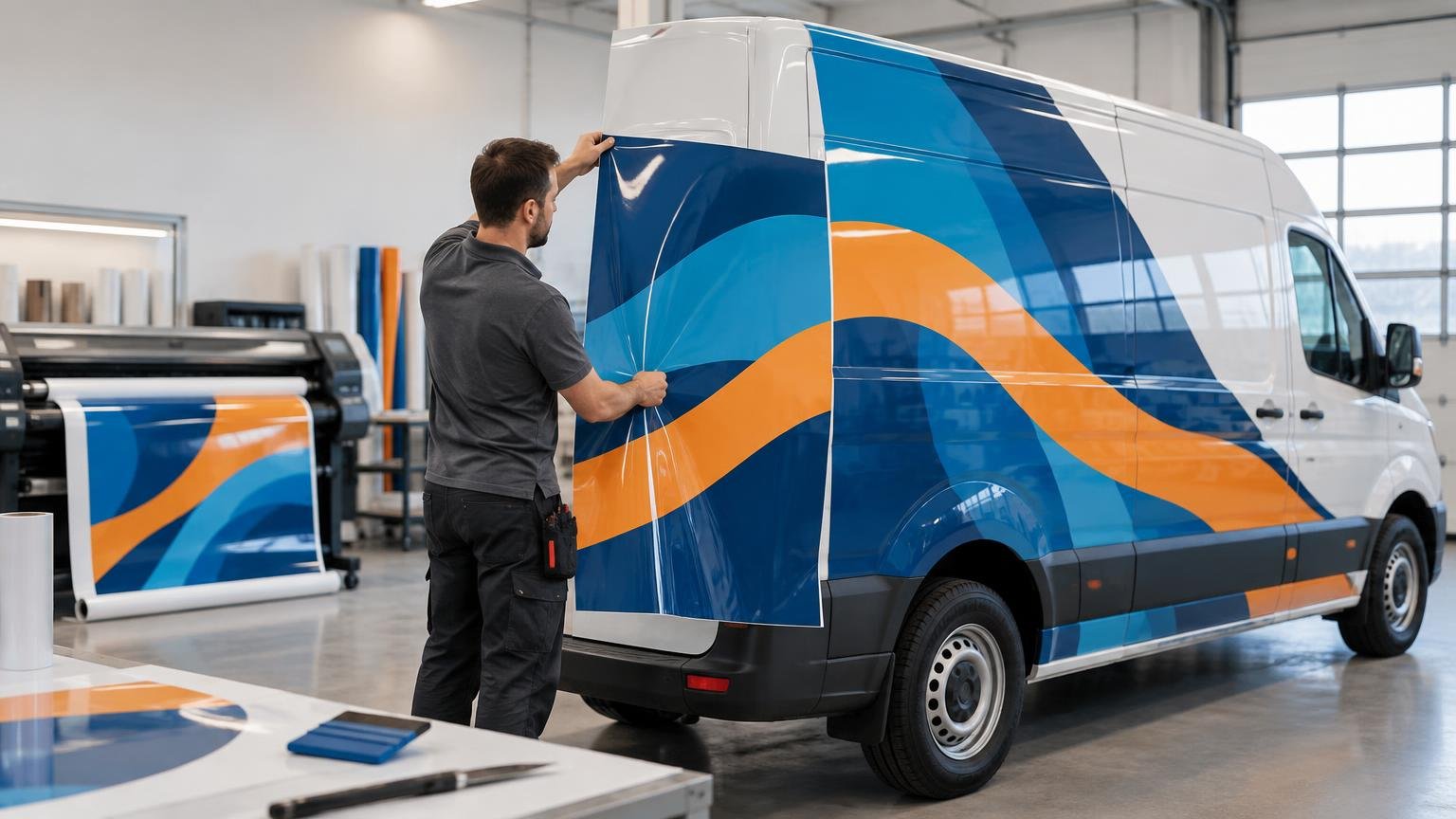
RIP software is the production-control layer between prepared artwork and a wide-format printer or cutter. It applies settings for the actual printer, ink, printable film, print mode, color profile, tiling, scaling, and cut workflow. That is why RIP software matters for printed vehicle graphics: it helps turn one approved file into consistent panels and repeatable output instead of treating every job as a generic print.
A RIP cannot rescue poor artwork, incompatible materials, inadequate drying or curing, or weak installation. It can, however, reduce avoidable variation by controlling how the production system interprets and processes the file. Vehicle owners and fleet buyers do not need to choose the software, but they should ask how their provider controls color, ink, panel output, contour cuts, and repeat orders.
What RIP software does in a vehicle-graphics workflow
RIP stands for raster image processor. In practical terms, the software converts artwork into printer-specific output data while managing production decisions around it. A design application creates the artwork; the RIP prepares that artwork for a particular output device and workflow.
Depending on the software and equipment, that production layer may control media profiles, resolution and print mode, color conversion, spot-color handling, ink behavior, copies, nesting, panel tiling, scaling, cutter marks, and print-and-cut data. It may also hold jobs in queues or apply saved presets.
A basic printer driver can be sufficient for some straightforward output. A fuller RIP becomes more valuable when a shop needs to manage wide-format panels, multiple printers, recurring jobs, measured color workflows, or integrated cutting. The right question is not whether a shop owns a particular RIP brand. It is whether its available workflow provides the controls the work actually requires.
Why RIP software matters for printed vehicle graphics in particular
Vehicle wraps magnify production errors. A small shift that might pass unnoticed on a single sign can become obvious when two large vehicle panels meet. An incorrect scale can disrupt alignment across a door seam. Excessive ink can affect how a covered film system dries and performs. A missing or misread contour path can turn an otherwise correct decal sheet into cutting waste.
The material is also only one part of the output system. ONYX explains that output profiles compensate for color shifts associated with media, ink, and printer options. Similarly, 3M’s profile selector organizes profiles by media, RIP, and printer rather than presenting one universal setting for all vinyl. Readers who want to see how manufacturer profiles are organized can use the 3M Graphics color-profile selector.
That combination-based approach matters because “printable vinyl” is not one production condition. A profile intended for another printer, ink set, film, or mode may produce a different result even when the artwork does not change.
Profiles connect the artwork to the actual production setup
An output or media profile gives the RIP information for reproducing color through a defined production combination. The profile does not improve the underlying design; it helps the output system interpret color for the selected printer, ink, media, and print conditions.
This is one reason the same design can look different when moved between printers or films. The physical media, ink behavior, device condition, print mode, and color-management choices all influence output. Selecting a generic vinyl preset is therefore not equivalent to using a suitable profile for the production setup.
Profiles also do not guarantee an exact brand-color match. Approved color targets may require measurement, spot-color controls, proofing, printer calibration, and agreement about acceptable tolerance. A serious shop should be able to explain how it approves critical colors before committing an entire wrap or fleet run.
Ink control affects more than appearance
More ink does not automatically mean better color. The selected film and print technology have limits, and exceeding them can create production and performance problems.
For its IJ280 system, 3M warns that excessive total physical ink can change the characteristics of the media, interfere with drying, contribute to overlaminate lifting, and reduce graphic performance. These cautions are specific to the documented product system, but they illustrate why ink limits and print modes must be selected for the actual material rather than copied blindly from another workflow.
Drying and curing requirements also vary by ink technology, printer, film, environmental conditions, and manufacturer instructions. A RIP can apply an appropriate print mode or ink-control setup, but it cannot make a wet or insufficiently cured print ready for lamination. Production timing and handling still have to follow the applicable documentation.
Panel tiling and consistency are visible on the vehicle
A full wrap is usually divided into printable panels. The RIP may help tile the artwork, add overlaps or marks, orient panels, and preserve scale. Those controls affect whether installers receive pieces that fit the planned layout.
Color consistency matters just as much. Adjacent panels printed under different settings, on a differently behaving printer, or after an uncontrolled production change can be visibly mismatched. Saved settings and documented reprint procedures help, although the shop may still need calibration and verification before replacing one panel from an older job.
Fleet graphics raise the stakes because the same design may be produced across many vehicles or revisited months later. Repeatability depends on more than retaining the artwork file. The provider should also retain the relevant production information: profile, print mode, printer and ink configuration, media, laminate, approved color references, scale, panel setup, and revision status.
Print-and-cut work needs correctly interpreted cut data
Not every vehicle graphic is a full printed panel. Door logos, compliance markings, sponsor graphics, spot decals, and lettering may be printed and contour cut. In that workflow, the file must communicate which vector path is a cut instruction rather than printable artwork.
ONYX documentation describes a workflow in which contour-cut information is identified by a specified spot-color name. The cut path is recorded for cutting instead of being printed as image content. Naming, scaling, cutter marks, registration, and cutter setup therefore need to remain coordinated from prepress through finishing.
A file can look correct on screen and still fail at the cutter. Common risk points include an unrecognized spot-color name, unintended scaling, an offset path that does not match the design, missing marks, or poor print-to-cut registration. Proofing one piece before processing a full batch limits the cost of discovering the problem late.
The same workflow discipline applies to smaller print-and-cut products such as custom stickers, where cut-path interpretation and registration remain important even though the output is not a full vehicle panel.
Presets make recurring work more repeatable
Saved presets can package the settings a shop uses repeatedly. ONYX describes Quick Sets and Hot Folders as tools for predefining and automatically applying job settings. A preset might govern the intended printer, media configuration, print mode, color workflow, nesting behavior, copies, or finishing instructions.
Automation is valuable when it removes repetitive setup without hiding important decisions. It can reduce operator-to-operator variation and make a recurring fleet or decal job easier to reproduce. It can also reproduce a mistake consistently, so presets need clear names, controlled revisions, and checks against the material actually loaded.
What RIP software can and cannot control
| Production issue | How the RIP can help | What still requires human or equipment control |
|---|---|---|
| Color output | Applies profiles, color conversion, spot-color handling, and saved print settings | Calibration, measurement, proof approval, printer condition, and realistic color tolerances |
| Large wrap panels | Controls scale, tiling, orientation, overlaps, marks, and queues | Accurate artwork, vehicle measurements, panel planning, trimming, and installation |
| Ink application | Uses the chosen profile and print mode to manage output | Correct material selection, environmental conditions, drying or curing, and lamination timing |
| Contour cutting | Recognizes cut-path data and produces cutter information or registration marks | Correct path construction, cutter setup, registration checks, and a physical test cut |
| Repeat orders | Stores presets and supports documented production queues | Material availability, equipment changes, color verification, file revision control, and retained job records |
The boundary is important. RIP software cannot add detail to genuinely low-resolution artwork, correct a distorted vehicle template, make incompatible film and laminate into an approved system, prepare the vehicle surface, or perform post-heating. It also cannot compensate indefinitely for clogged nozzles, poor calibration, worn cutting equipment, or uncontrolled production conditions.
Material compatibility deserves special attention. 3M presents IJ280 as part of a printable wrap-film system and identifies compatible graphic-protection products; its documentation connects performance and warranty conditions to specified components and conditions. The exact printer, ink, film, laminate, processing conditions, application, and current manufacturer documentation should be checked when warranty eligibility matters.
Questions a vehicle owner or fleet buyer should ask
Customers do not need a tour of every software menu. They need evidence that the provider has a controlled process. These questions reveal more than asking only which RIP brand the shop uses:
- Which printer, ink, printable film, and laminate will be used as a system?
- Does the shop use a suitable media profile for that printer, ink, film, RIP, and print mode?
- How are critical brand colors approved: screen review, printed proof, measured target, or another documented method?
- Will all adjoining panels be produced under the same controlled settings?
- How are scale, panel overlaps, orientation, and vehicle-specific seams checked before printing?
- For contour-cut graphics, how are cut paths, registration marks, and final dimensions proofed?
- What production information is retained if one panel or one fleet unit must be reproduced later?
- If equipment, ink, film, laminate, or profiles change, will the shop reproof the job before continuing?
A credible answer may involve an OEM workflow, a standalone RIP, or an integrated production system. What matters is that the shop can identify the controls, document the approved setup, and verify output before consuming a large amount of wrap film.
When a shop may need a fuller RIP workflow
Included printer software may be entirely adequate for a simple and stable workload. A shop should evaluate a fuller RIP workflow when it needs stronger queue management, multiple-device control, repeatable presets, advanced color tools, automated hot folders, reliable tiling, or coordinated print-and-cut production.
The decision should follow operational needs rather than brand recognition. A one-printer shop producing occasional graphics may value simplicity. A fleet supplier handling recurring designs, several operators, multiple printers, and replacement panels may benefit more from centralized settings and automation.
For a product-level example, this comparison of ONYX Thrive, PosterShop, and RIPCenter discusses differences in color control, print-and-cut features, automation, contour cutting, and production scaling. It is useful as a workflow comparison, not as evidence that every wrap shop needs ONYX or the most extensive edition.
The practical takeaway
RIP software matters because a printed vehicle graphic is not merely an image sent to a printer. It is a coordinated output job involving a particular device, ink, film, profile, print mode, panel plan, laminate, and sometimes a cutter.
For shops, the priority is to build documented settings around the actual material system and verify the result before full production. For vehicle owners and fleet buyers, the priority is to choose a provider that can explain how it controls profiles, color approval, ink behavior, panel consistency, contour cuts, and repeat orders. The software name is secondary; the disciplined workflow is what reaches the vehicle.
References
- Output Profiles
- 3M Graphics Color Profiles – Graphics & Signage | 3M US
- 3M™ Print Wrap Film IJ280
- Contour Cutting
- Print Workflow Automation | ONYX Hot Folders & Quick Sets – Onyx Graphics
- help.onyxgfx.com
- 3M™ Print Wrap Film
- www.3m.com
- ONYX RIP review: Thrive vs PosterShop vs RIPCenter for stickers – The Print Reviewer